


Reading time 2 mins
Introduction
- By restricting an Event Type to location(s) it allows you to show the relevant event types for each location.
- When reporting an event within Radar Healthcare, users select the Location where the event has happened. By default, an event type can be reported at any Location in your system hierarchy. E.g., you can select any Location and report a 'Complaint' event.
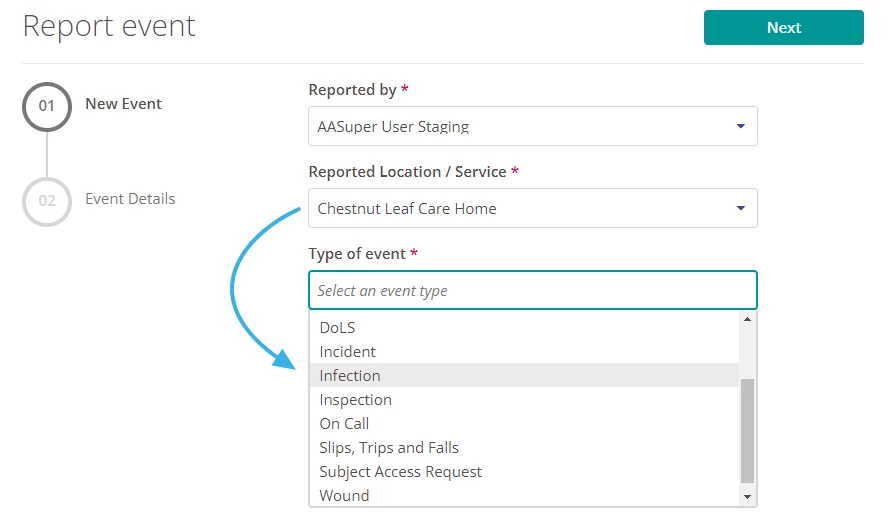
- However, you may find that certain events only need to be reported at specific Locations. Using Location Types means the list of Events available to report can differ depending on the 'Location / Service' selected on the New Event page.

- You might use this functionality if different areas of your business use your Radar Healthcare system and are required to report different types of events.
- E.g., Your system hierarchy includes Retail, Care and Admin Regions. Care-related events (e.g., Infections, Deaths, Deprivation of Liberty Safeguards) only need to be reported at Locations in the Care Region. A 'Care' Location Type is created and added to all Locations in the Care Region. The care-related events are then restricted and only available to report if a care location is selected.
Setting up Location Types
There are three steps to use this functionality:
- Decide which types of events need to be restricted for reporting at specific Locations.
- E.g., Infections, Deaths and DoLS only need to be reported at care home Locations.
- Ask Radar Healthcare to create a Location Type and let us know which event types should be restricted to this Location Type.
- Speak to our Support team to let us know what Location Types you would like to use. E.g., we can create a Location Type called 'Care' and link this to the desired events for you.
- Add the Location Type to relevant Locations.
- Under Administration > Locations edit/create Locations and select the new Location type.
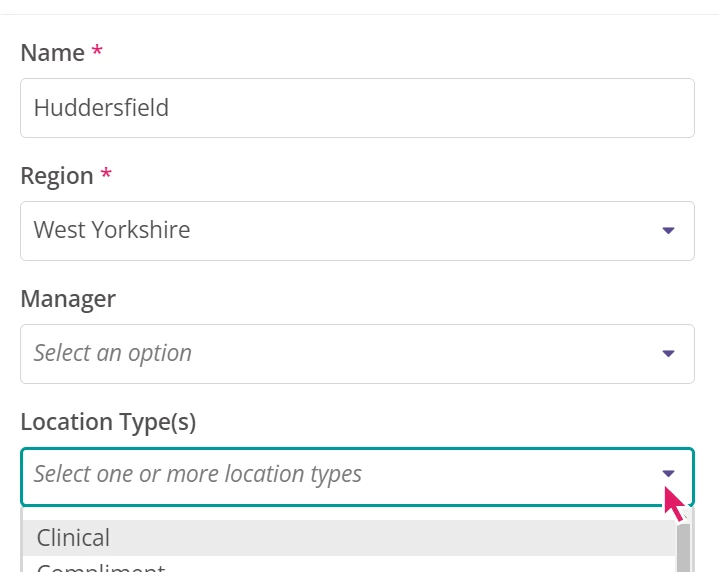
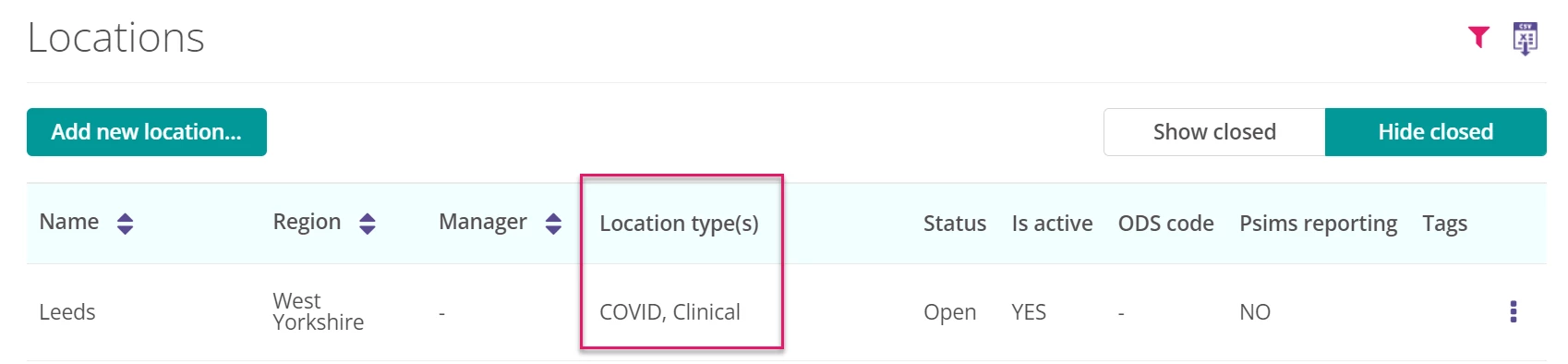
- Once you have updated your Locations, the events restricted to the Location Type will only appear as an option when one of the Locations with the relevant type is selected.
- N.B. This functionality does not restrict who can see the events after they have been reported. Please see Event Permissions Overview for more information here.
FAQ
Can we amend the location once reported?
If you have activated the permission to change location then it is possible, but the event can only be changed to other locations with the same Location Type classification.