


Reading time 2 mins
Introduction
You can either export the Risk Register directly from the Risk Register page itself, or you can export the register and a wider selection of reports via the Analytics page.
Exporting the Risk Register Table
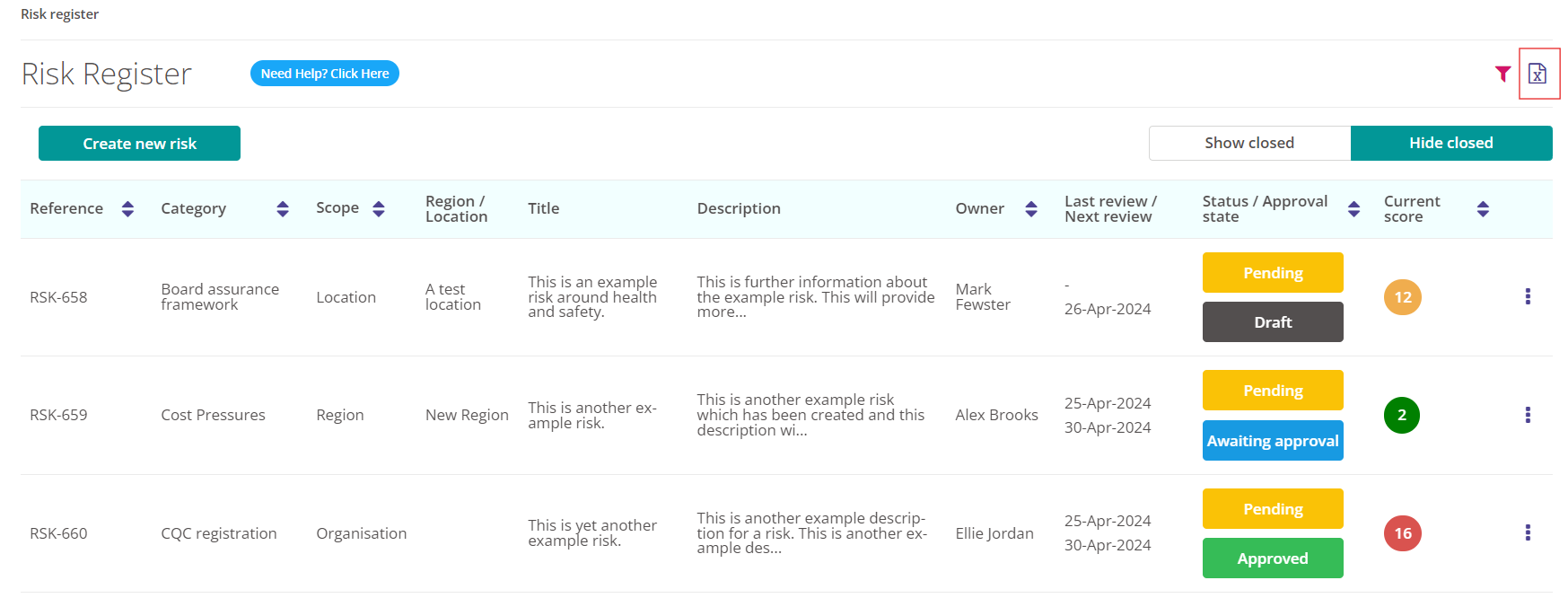
- When viewing the Risk Register table select the document symbol in the top right-hand corner. This has the symbol of an 'x' within.
- Tip: Use the filter to search for specific Risks. This might be all the Risks for a specific Location or Region. Or you may wish to filter on a specific category or Risk. Your filter choices will be remembered when exporting the Risk Register table.
- This will download a fully formatted excel document to your computer or device.
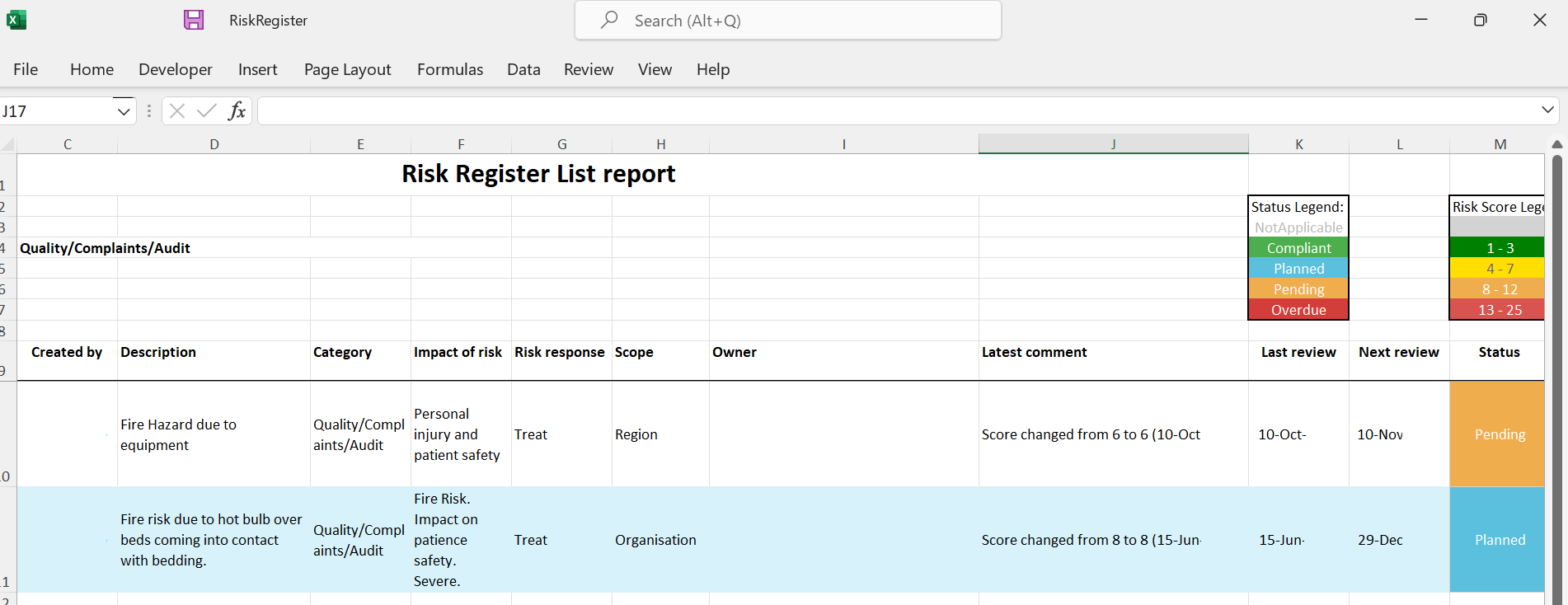
Exporting the Risk Register Matrix
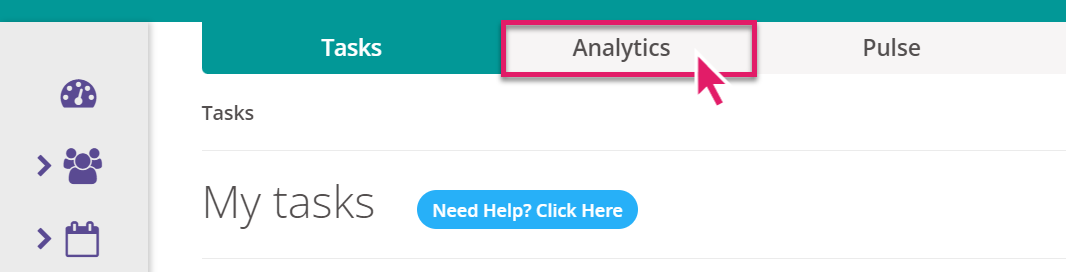
- From your My Tasks Dashboard select Analytics.
- From the left-hand panel, select Live and then Risk_Register to reveal the three different Risk Register dashboards available to you.
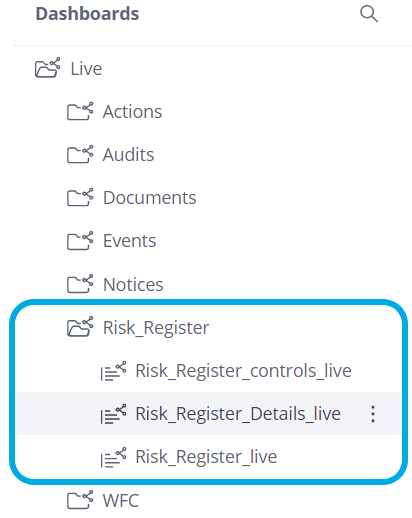
- Select Risk_Register_Details. This dashboard contains a detailed matrix from your Risk Register. Select the three-dot menu on the matrix and there is an option to download the table into a range of files, including Excel.
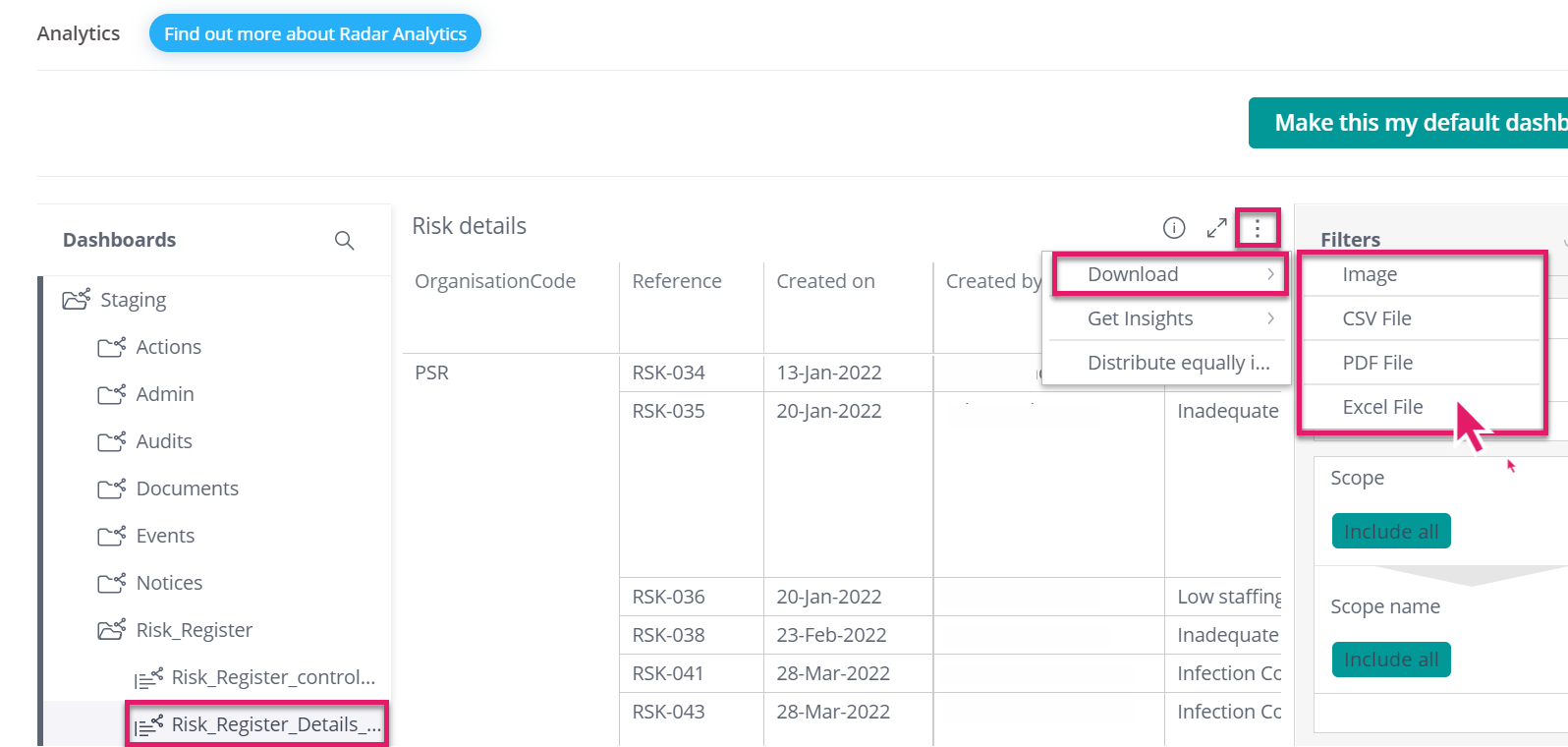
- For more information about downloading information from Radar Healthcare Analytics see our range of user guides and videos.
FAQs
I do not have the same Analytics Dashboards shown in this guide...
- Each individual dashboard is a permission which requires granting to your role for you to be able to view. Please speak to your System Administrator if you require access.