

Reading time 1 min
- Find out which permissions are allowing or stopping a user from viewing a specific event.
- Please follow these steps to get started. There is a short video at the end to show the process.
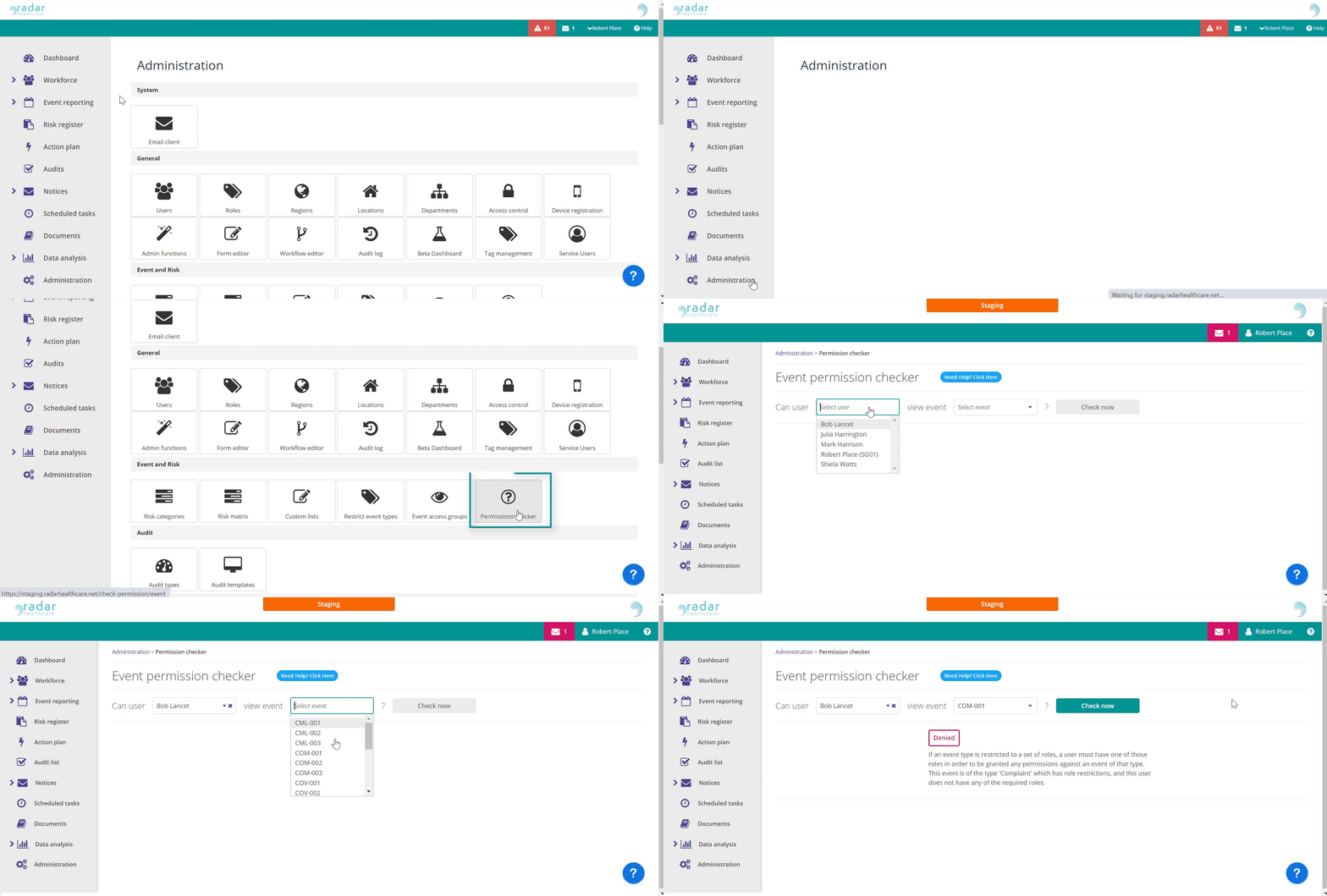
- Please go to the Administration Dashboard and select the Permission Checker icon.
- Select the user in question using the Select User drop-down menu.
- Select the Event reference number from the Select event drop-down menu.
- You'll now be selected with a status:
- DENIED - the user cannot view the event
- GRANTED - the user can view the event
- Beneath the status, you'll be provided with the reasons for this, allowing you the opportunity to investigate further.
- Please Note: To have Permission Checker activated you must have the permission to view Access Control.