

Sending a Patient Information article
The Article module allows you to search for a Patient Information article and send it to your patient by email or text message.
Please note that this module does not provide tracking and is not patient-specific.
Once you have logged into the Digital Consent dashboard, follow the steps below.
How to send an article
-
Select “Articles” from the menu.
-
Search for the procedure by its name or EIDO code.
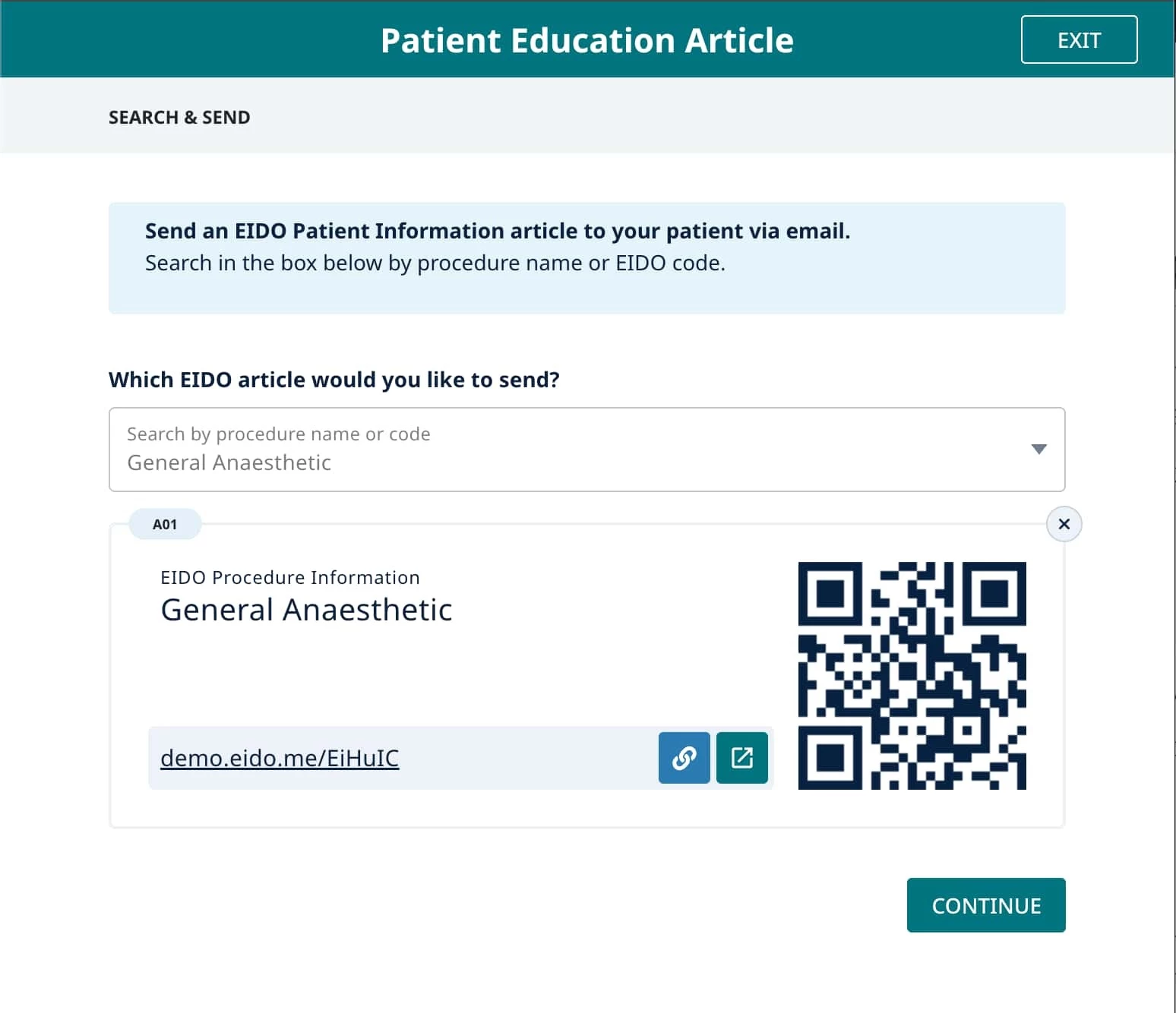
Search for a patient information article -
Select “Continue”.
-
Enter the patient’s name.
-
Choose whether to send the article by email or SMS.
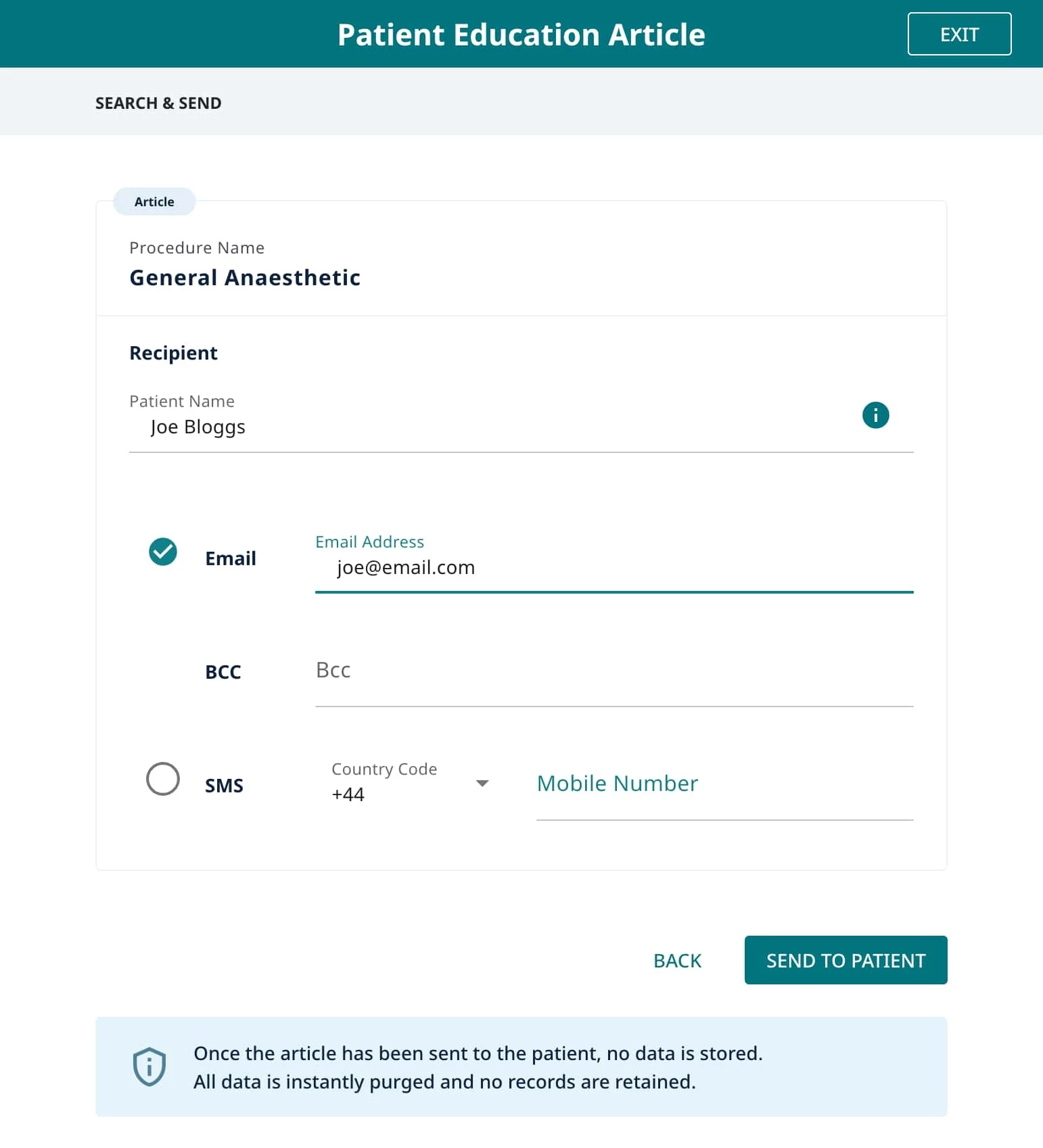
Send the article to the patient -
If required, use the Bcc field to send a copy to your own email address.
-
Select “Send to patient” to complete the process.
The patient information entered here is not stored. It is used to send the message and is discarded once the message has been sent.
The patient will receive a link to the article, which they can open on any device.