

The Download Centre has been redesigned to make it quicker and easier to find the patient information you need.
The new interface has a cleaner, more modern layout and a simpler download process. You can quickly browse documents by specialty, choose the format and language you need, and, if activated for your organisation, send multiple documents directly to patients by email.
Finding documents
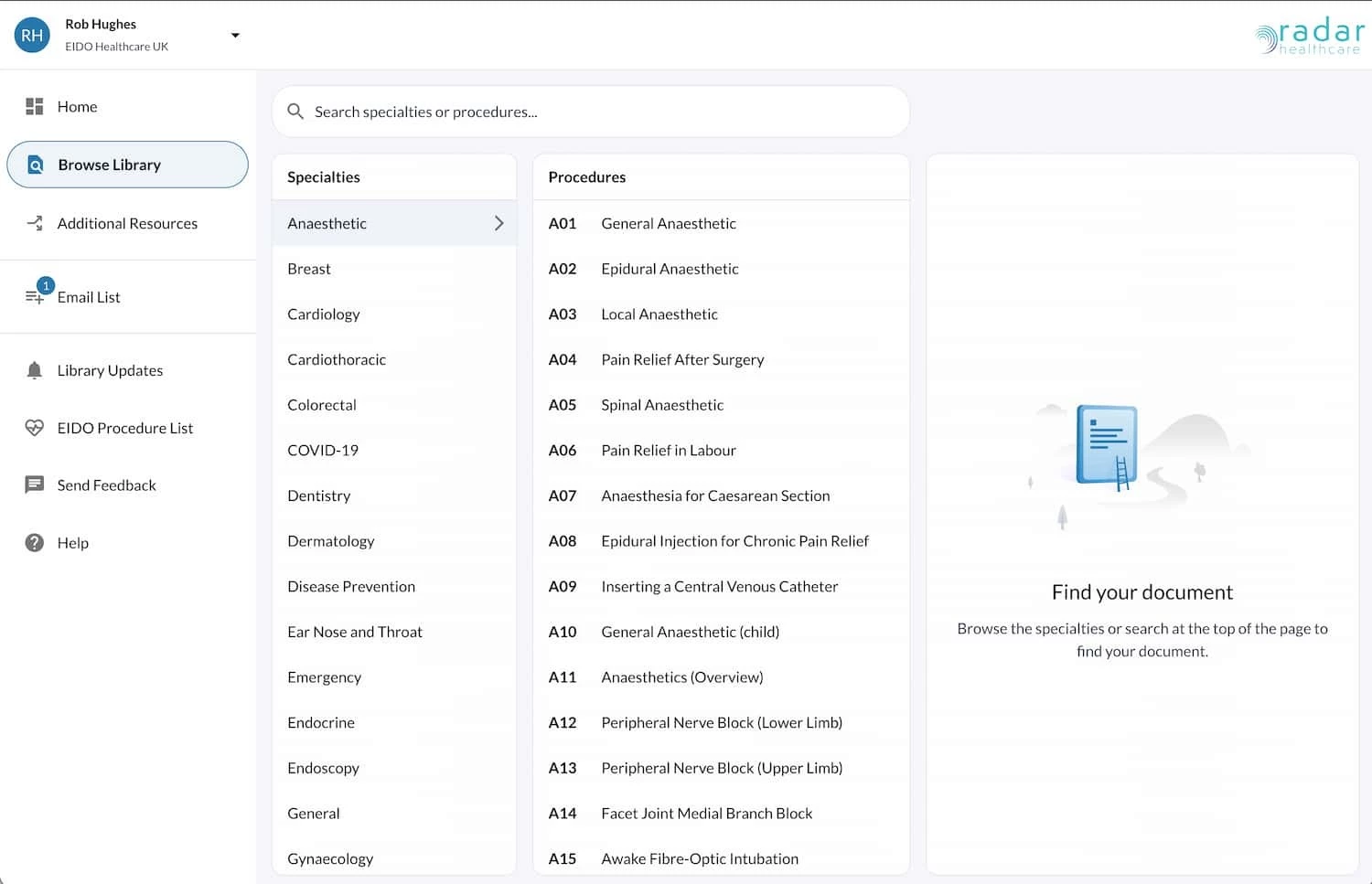
The Download Centre now uses a two-step selection process.
-
Select the specialty.
-
Select the document you want.
This reduces the number of documents shown at once, making it easier to find the correct patient information.
Searching for documents
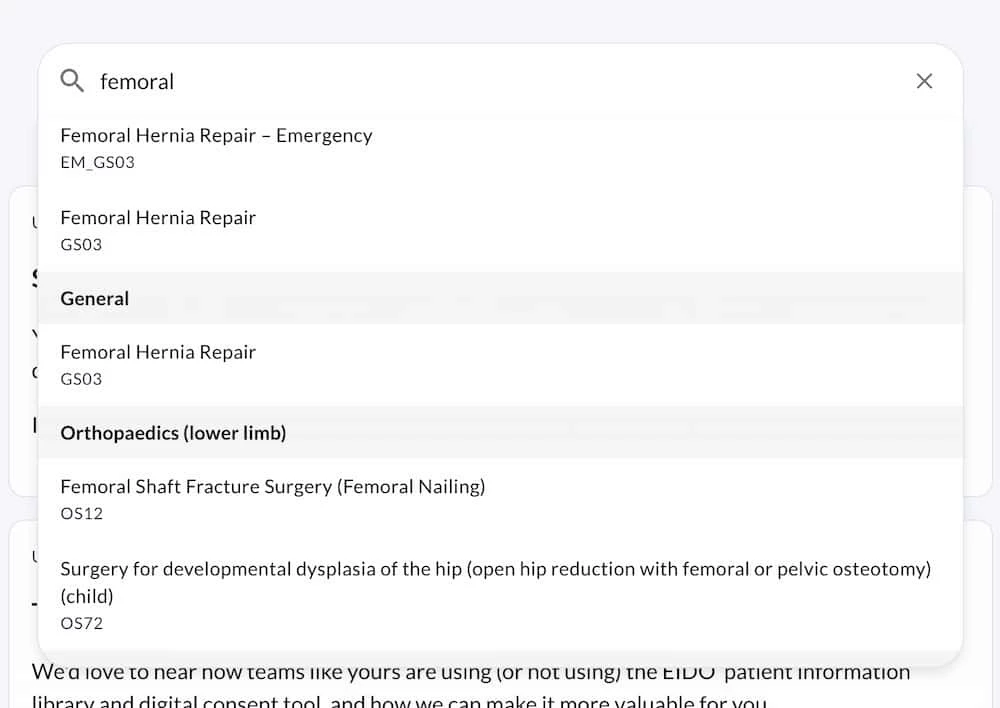
If you know the document you're looking for, use the Search box to find it quickly.
As you type, matching documents are displayed instantly, helping you locate the right patient information without browsing through the specialty list.
The search also remembers your recent searches, making it easy to return to documents you access regularly.
Select a recent search to run it again, or enter a new search term at any time.
Downloading documents
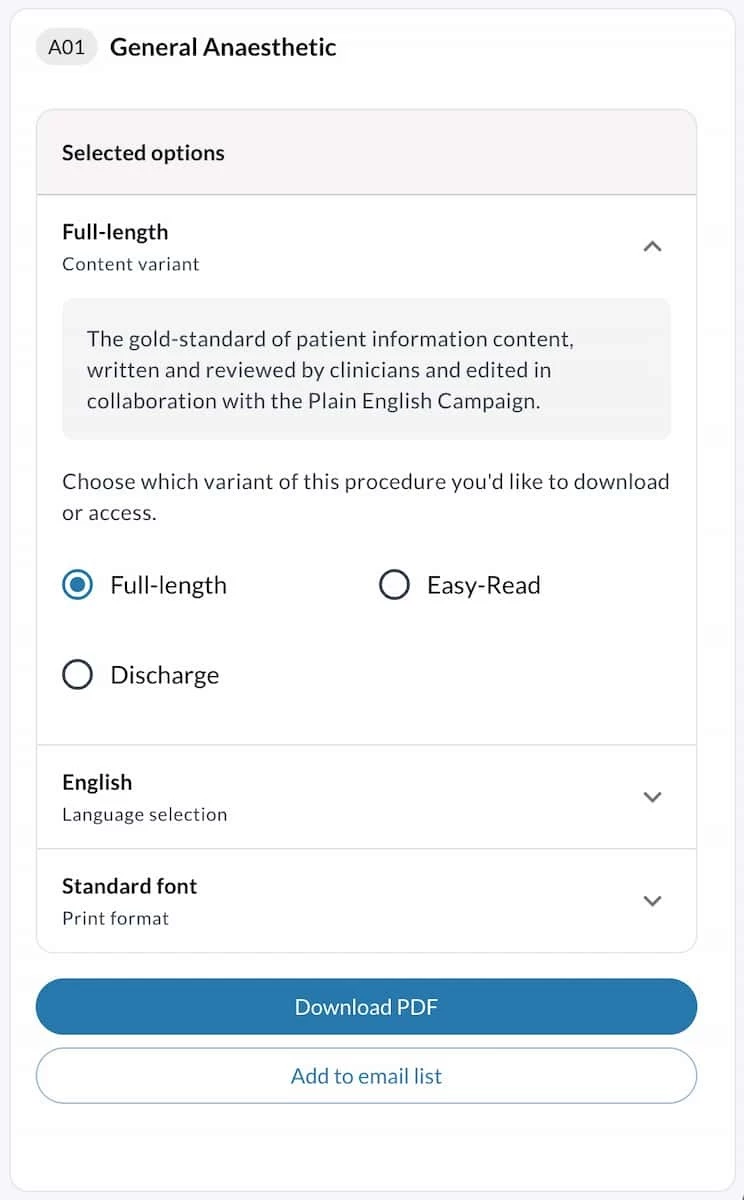
Once you've selected a document, you can download it immediately using the default configuration.
If you need something different, you can customise the download before generating the document.
Available options include:
-
Document type
-
Language
-
Accessibility options
Choose the settings you need, then select Download.
Sending documents to patients
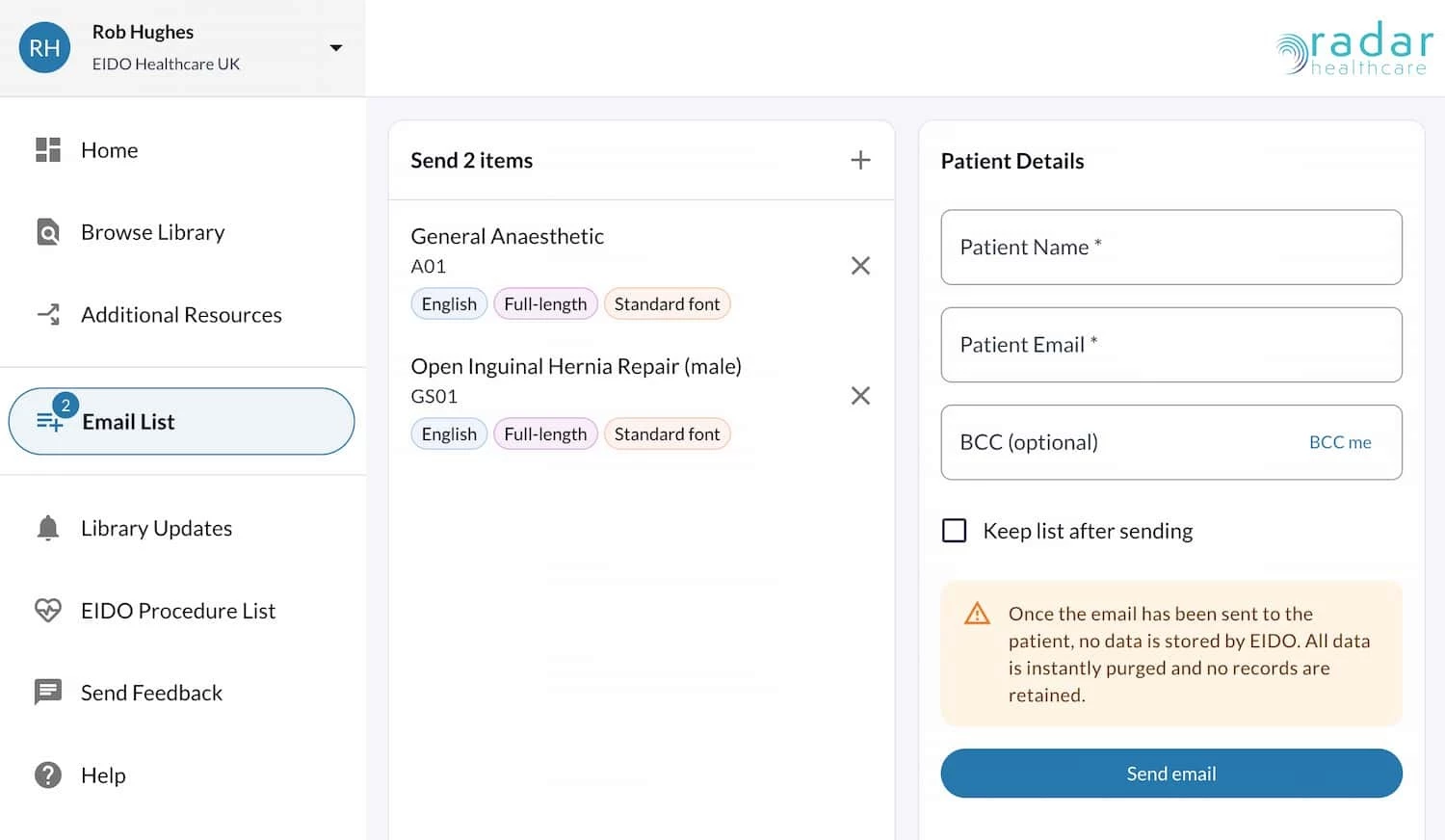
If your organisation has the patient email feature activated, you can send one or more documents directly to a patient.
Instead of downloading each document individually, simply add documents to your email list as you browse the library.
When you're ready, send the entire collection in a single email.
Using the email list
The email list acts as a temporary collection of documents.
After sending the documents, you can choose to:
-
Keep the list and send the same collection to another patient.
-
Continue adding or removing documents.
-
Clear the list and start a new collection.
This is particularly useful when you regularly send the same group of patient information documents.
Summary
The updated Download Centre helps you:
-
Find documents more quickly with specialty-first navigation.
-
Download documents in the format, language and accessibility option you need.
-
Send multiple patient information documents directly to patients (where enabled).
-
Reuse your document email list for multiple patients.