


Reading time 1 min
- The Email Client allows you to view all emails sent from Radar Healthcare to your users.
- From your Admin dashboard, select Email Client.
- Here you will see the latest emails send from Radar Healthcare on the left, and the email preview on the right.
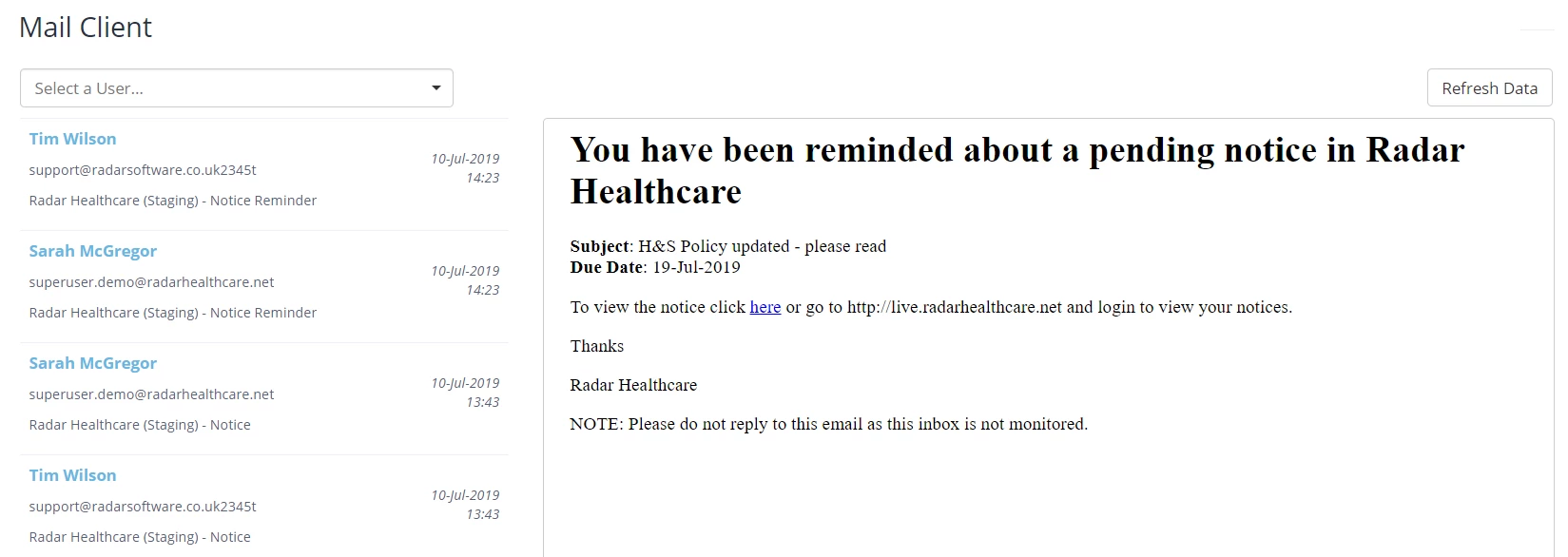
- You can filter on users using the drop-down box at the top of the screen.
- You will then see all the selected user's emails sent from Radar Healthcare in date/time order.
- To remove a filter and refresh the results, click Refresh Data on the right-hand side of the screen.