


Reading time 1 min
- The Risk Register download allows you to view the key details of your Risk Register including:
- Reference
- Created on and by whom
- Title of Risk [If applicable]
- Description
- Category
- Impact of the risk
- Scope (including region and location)
- Owner
- Latest comment
- Last and next review date
- Status
- Original, inherent [If applicable], current and target score
- Target date
- Controls outstanding and implemented
- Risk appetite, response, and tags
- Latest Review
- Risk identified on
- Approve state [If applicable]
- Approver [If applicable]
- Overall Assurance [If applicable]
- Accountable [If applicable]
- Consulted [If applicable]
- To download your Risk Register please follow these steps:
- Select Risk Register on your side menu
- Select the document symbol on the top right side of the Risk Register menu
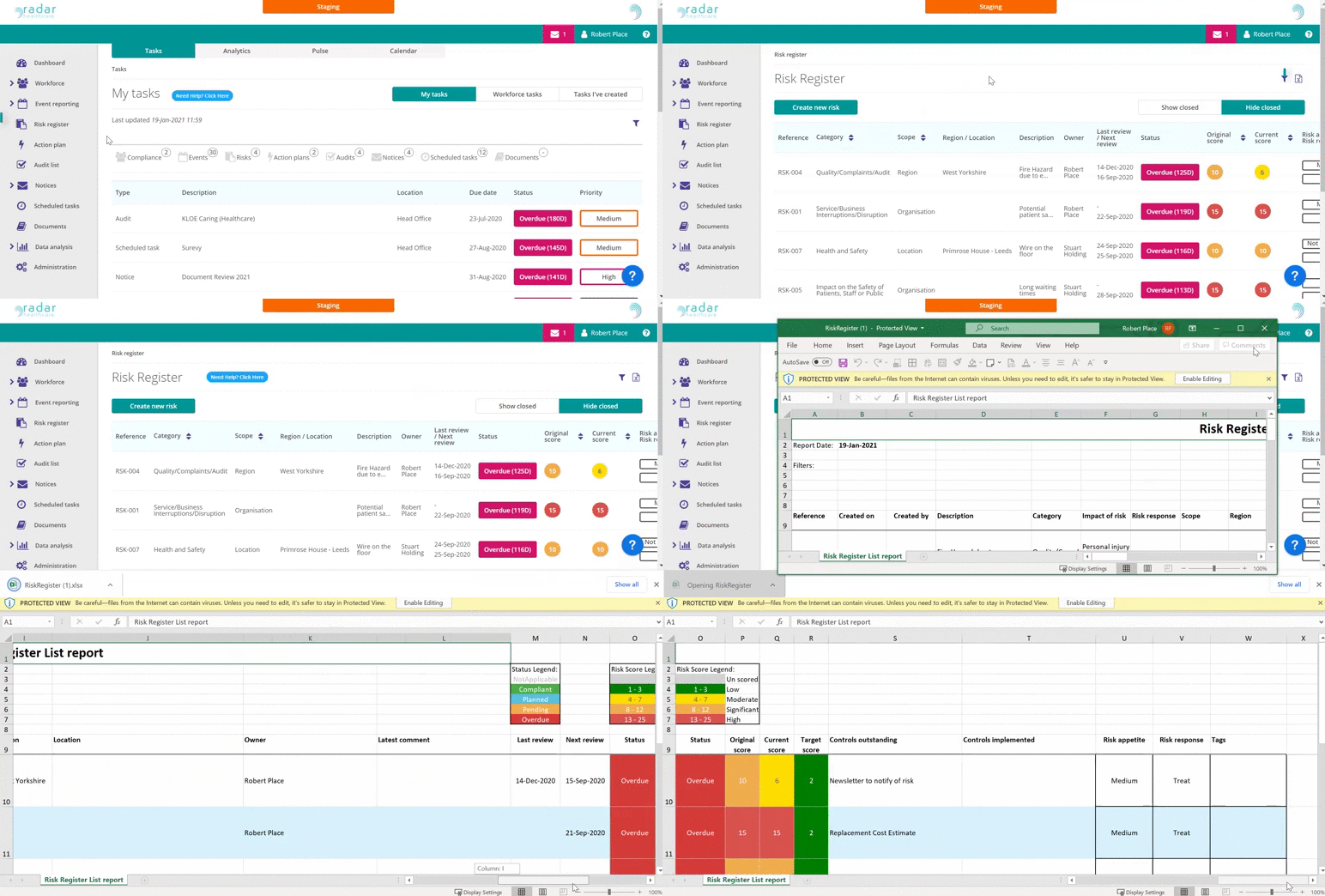
Your report will download into an Excel document